Reviews Crypto Exchange
Zanodex Crypto Exchange Review Covering Trading Features and Fees
At a glance
Zanodex.com offers spot and futures markets with standard order types and basic analytics for cryptocurrency trading.
What Zanodex.com Provides for Traders
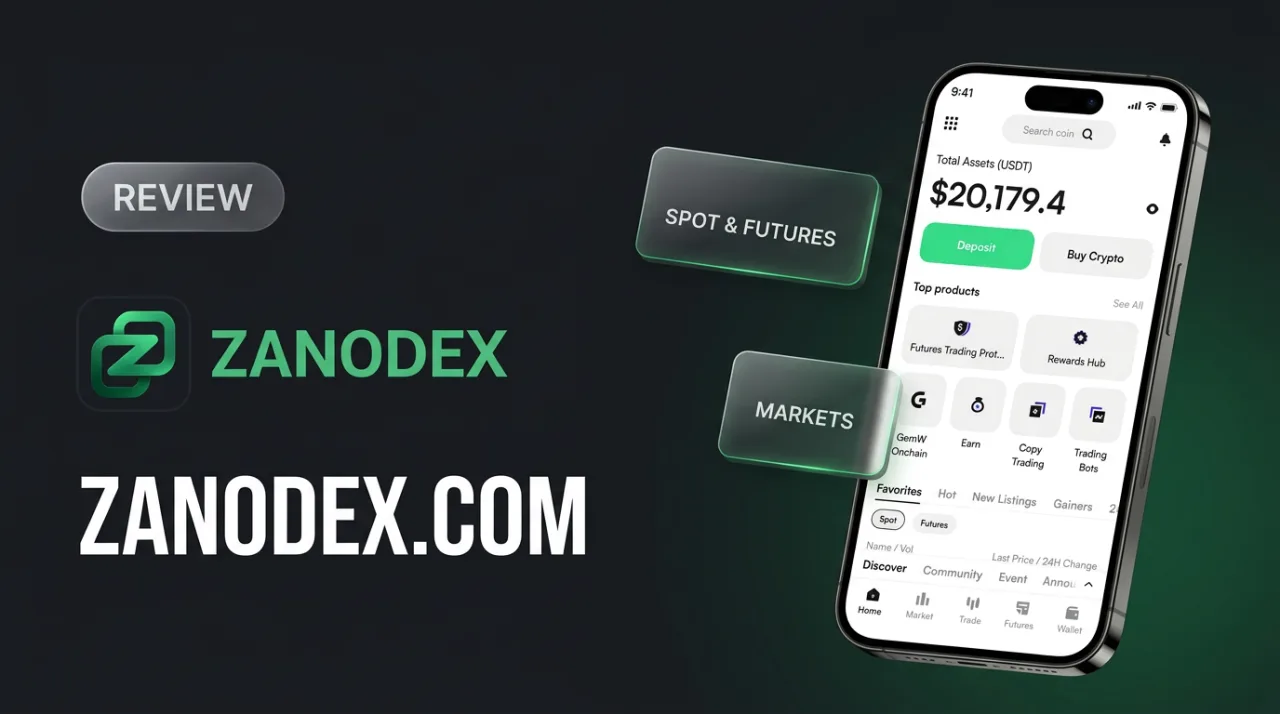
Zanodex.com lists a selection of spot and futures trading pairs, with BTC/USDT and ETH/USDT appearing on its markets page. The site shows standard interface elements such as price, 24-hour change, daily high and low, and trading volume for each pair.
Traders can open a personal cabinet that includes sections for deposits, wallet balances, and order placement. From this area, users navigate to the trading terminal, where order books, recent trades, and trade history are displayed.
The navigation menu references both spot markets and a “New Futures” section. Charts on the trading page offer multiple timeframes from one second to one week, along with standard display styles including candles and OHLC bars.
Deposit and wallet functions are presented as part of the account area, allowing users to move assets between the platform and external addresses. The site mentions a referral program that provides personal links for inviting others and potential commission rewards on eligible activity.
Support materials and guides are referenced within the cabinet, while the overall interface supports access from both web and mobile browsers. These elements form the basic operational structure visible to visitors who register and fund an account.
Spot Trading Mechanics
The markets page displays trading pairs alongside their last prices, 24-hour changes, daily high and low values, and traded volumes. This layout lets users scan multiple assets at once and identify pairs that match their current strategy without switching between separate screens.
Traders can enter the terminal and select either a limit order, which executes only at a chosen price, or a market order that fills immediately at the best available rate. The interface includes sliders that allocate any chosen percentage of the available balance, reducing the need for manual calculations before submission.
Trigger orders provide an additional option: the order remains inactive until the market reaches a preset price, then converts into either a limit or market instruction. This approach supports strategies that require execution only after a specific technical level is crossed.
The order book updates continuously, showing bids and asks in real time, while the recent trades panel records every completed transaction. Both views help traders adjust their own entries or exits as liquidity shifts.
- Review the 24-hour high, low, and volume columns to judge liquidity before placing larger orders.
- Use the percentage sliders to allocate only the exact portion of your balance you intend to trade, leaving the rest untouched.
- Set trigger orders ahead of key support or resistance levels if you cannot monitor the screen continuously.
- Watch the order book depth to gauge how large an order can be without moving the price significantly.
- Check the trade history feed after execution to confirm fills and average prices achieved.
Futures Trading Options
Futures markets on Zanodex.com appear under dedicated navigation items, including a “New Futures” section. The platform lists pairs that allow traders to open long or short positions based on their market outlook. Users who already work with spot BTC/USDT or ETH/USDT pairs can switch to the futures interface to apply the same market view with different mechanics.
The trading terminal presents standard limit and market orders for futures contracts. A trader who wants to enter a long position at a specific price places a limit order, while one who wants immediate execution selects a market order. Both order types display the same percentage-allocation sliders found in spot trading, allowing position sizing relative to available margin.
Chart tools remain consistent with the spot section. Timeframes from one second to one week and styles such as candlestick, hollow, OHLC and area provide the same granularity for analysing price action before opening or adjusting a futures position. A user monitoring a multi-day trend can switch between daily and four-hour views without leaving the futures terminal.
Trigger orders listed in the interface let traders set conditional entries. For instance, a short position can be scheduled to open only when price crosses a chosen level, which is useful for capturing breakouts without constant screen monitoring. The order book and recent trades panels update in real time, giving visibility into liquidity at different price levels.
The futures section suits traders who already hold spot positions and want to hedge exposure or express a directional view. It also appeals to users who prefer futures mechanics but do not require advanced order types such as OCO or iceberg that are not documented on the current pages. The available features focus on straightforward position management rather than complex strategy construction.
Charts, Order Types, and Analytics
The trading interface includes price charts with timeframes from one second up to one week, allowing users to adjust views according to the pace of their strategy. Available styles include candlestick, hollow, OHLC, and area formats, so traders can select the representation that suits their chart-reading habits.

Order placement is handled through the terminal, where limit orders set exact entry or exit prices, market orders execute immediately at the current rate, and trigger orders activate once a defined condition is reached. Percentage sliders next to these options let users allocate a precise portion of available funds, which reduces manual calculations when managing position size.
The markets page displays current prices, 24-hour changes, daily highs and lows, and volume for each pair. This information gives traders a quick overview of market activity without leaving the main view.
- Switch between 1-second and 1-week timeframes to match short-term or longer-term analysis.
- Use the limit-order field when you need to wait for a specific price level rather than execute instantly.
- Apply the trigger order to automate entries or exits based on support or resistance levels visible on the chart.
- Adjust the percentage slider to split available balance across multiple price points in a single session.
- Review volume figures alongside price changes to gauge liquidity before placing larger orders.
Fees, Staking, and Referral Program
Platform materials reference maker and taker fee tiers, but do not publish exact percentages or volume-based schedules in the publicly accessible sections. Users who trade regularly often compare these conditions with the fee tables of established exchanges before deciding on a venue, since small differences accumulate over time.
The referral program operates through personal links. An existing user shares the link, and once the invited participant completes eligible activity, the referrer may receive a commission. The site does not disclose the exact commission rate or payout schedule, so prospective participants usually verify the current terms inside the personal cabinet before promoting the link.
Staking receives general mention, yet no specific asset list, lock-up periods, or expected yields appear in the public documentation. Traders who rely on staking yields therefore typically review the staking page inside the account area after registration to confirm whether the offered assets and conditions meet their requirements.
These three features are presented without detailed mechanics or external audit data, which is common for smaller platforms. Users who need transparent fee schedules, published staking rewards, or clearly defined referral payouts often cross-check the information directly on zanodex.com and compare it with the published terms of larger exchanges before committing funds.
Personal Cabinet and Interface Access
The account area on Zanodex.com groups trading, deposits, wallet balances and support resources into separate sections. Mobile and web versions both connect to the same account, letting users monitor open positions or execute orders without switching devices. Navigation follows the familiar layout of many centralized exchanges, with a top menu leading to markets, wallet and history pages.
Deposits are handled from the wallet section. Users select an asset and a network, then copy the generated address or scan the QR code to receive funds. Balances update once the network confirms the transaction, and the same wallet view shows available, locked and total amounts. From there, funds move directly to the spot or futures trading terminal.
Support appears as a help widget or ticket form inside the cabinet. Platform guides cover registration steps, deposit instructions and order placement; users can open a ticket for issues that fall outside these documents. The interface itself is presented in English, with no additional language options listed on the reviewed pages.
- Check wallet balances before each trading session to confirm available margin.
- Use the deposit page to generate a fresh address for every new coin or network.
- Review open orders and trade history from the same menu to track execution prices.
- Keep the support widget open on mobile when placing large orders in case quick assistance is needed.
- Log out of both web and mobile sessions after completing high-value transfers.
Getting Started on Zanodex.com
Access to Zanodex.com begins with an account created through the registration form on the homepage. After providing the required email and password details, the system issues a verification message that allows the user to proceed to the personal cabinet. The cabinet interface then displays wallet and deposit sections where cryptocurrency addresses are listed for incoming transfers.
Once assets reach the wallet, traders move to the markets page to select pairs such as BTC/USDT or ETH/USDT. The page shows current price, 24-hour change, and volume columns that help users decide on an initial order. From the same page, a direct link opens the trading terminal where the chosen pair loads with order book and recent trades visible.
Deposits are executed by copying the generated address and sending the chosen coin from an external wallet. The platform records each incoming transaction in the assets section, after which the balance updates for order placement. Basic limit and market order fields appear immediately, along with percentage sliders that allocate part or all of the available balance.
Users who hold referral links can enter them during registration or later in the personal cabinet to connect the account to the referral program. The same area also lists any active vouchers or campaign codes that may reduce trading fees once applied. These codes appear in the FAQ section and are entered through a dedicated field in the profile settings.
Support documentation is accessible directly from the cabinet footer and covers common deposit and order steps. The guides include screenshots of the terminal layout and brief explanations of order types, allowing new users to follow the same sequence without external resources. After the first deposit confirms, the same workflow applies to subsequent transfers or trading sessions.
Comparison with Common Market Alternatives
Traders often compare new platforms with established exchanges by checking how the fee structure, order depth, and risk controls line up. Zanodex.com lists spot and futures pairs with the standard set of limit, market, and trigger orders, while the markets page shows last price, 24-hour change, high/low, and volume.
Established exchanges publish maker and taker schedules that start at 0.02–0.10 percent for spot and can be lowered through volume tiers or native tokens. Zanodex.com does not display tiered rates in public sections, so users must rely on the flat schedule shown once an account is active. The same pattern appears with leverage: major platforms list ranges up to 100x with documented funding rates, whereas Zanodex.com references futures without publishing those parameters on open pages.
Charting tools on Zanodex.com cover common timeframes from one second to one week and the usual candle, line, and area styles. Larger platforms add drawing tools, volume profiles, and third-party integrations. Market analytics remain limited to on-screen pair statistics, without separate dashboards for on-chain data or order-flow heat maps.
The referral program works through personal links, consistent with the industry model that rewards activity-based commissions. Support is described as responsive, although specific channels and response-time targets are not listed publicly.
- Review the fee schedule inside the personal cabinet before scaling positions, since no tiered discounts appear on the open site.
- Check the order book depth and spread on the chosen pair before placing a large market order.
- Confirm the exact leverage range and funding rate schedule directly in the futures interface before entering positions.
- Compare 24-hour volume on Zanodex.com with the same pair on other exchanges to gauge liquidity.
- Use the trigger order type for simple stop-loss placement if advanced conditional orders are not available.
- Keep withdrawal addresses whitelisted and test a small transfer first to confirm processing times.
Practical Applications for Different Users
Spot trading on Zanodex.com fits straightforward portfolio adjustments. A user holding BTC can sell a portion for USDT when the BTC/USDT price rises above a chosen level, then use the proceeds to buy ETH/USDT if the ETH pair shows a 24-hour decline. The order book and recent trades displayed on the markets page give immediate visibility into current liquidity before the trade is placed.
Futures sections allow basic directional positioning when the contract interface is active. A trader expecting a short-term drop in ETH can open a short futures position sized according to available margin, then close it once the price reaches the target shown on the 15-minute or 1-hour chart. Trigger orders listed in the terminal can automate this exit without constant screen monitoring.
Chart tools support simple technical timing. Selecting the candle style with a 4-hour timeframe and marking recent highs and lows helps identify entry zones for a limit buy order in a chosen pair. The percentage allocation sliders next to market orders reduce manual arithmetic when splitting available balance across several assets during one session.
The referral link system suits users who already trade actively and maintain contact lists. Sharing a personal referral link with another trader who later deposits and trades generates activity-based rewards, recorded in the account area under the referral section.
Support tickets and deposit records remain accessible inside the personal cabinet for users who need transaction history or assistance with wallet addresses. Mobile access lets the same functions run on smaller screens, which is convenient for monitoring open positions while away from a desktop setup.
Final Assessment of Zanodex.com Capabilities
Zanodex.com presents spot and futures trading interfaces for pairs such as BTC/USDT and ETH/USDT. The platform shows standard order placement, basic charting, and a referral program in its public sections. These elements address straightforward buy-and-sell tasks as well as simple directional positions.
Public site pages list market data, limit and market orders, trigger orders, and timeframes from 1-second to weekly. A personal cabinet offers deposit, wallet, and support sections. The site references a referral program that provides links users can share for potential rewards.
Independent security scanners and review aggregators flag the domain as high-risk and note limited public history or regulatory documentation. This context matters when comparing the site to larger exchanges that publish detailed fee schedules, leverage ranges, and third-party audits.
Traders can test the interface by registering an account, depositing a small amount, and placing a single market order. After a few executions, users may review order history and wallet balances to decide whether the available tools match their workflow.
- Review the markets page to confirm liquidity in the pairs you intend to trade.
- Place small test orders with limit and market types before committing larger amounts.
- Track the referral link performance if you invite other traders.
- Compare withdrawal fees and processing times with other platforms you already use.
- Check support response times via the ticket system for any technical questions.
The listed functions give access to core spot and futures execution, yet the absence of detailed maker-taker schedules, staking documentation, and independent audits remains the main factor users weigh when deciding whether to continue on the platform.
Frequently asked questions
How do I begin trading on Zanodex.com?
Create an account, complete verification if required, deposit funds, and access the trading terminal to place spot or futures orders.
What order types are available on Zanodex.com?
The platform supports limit orders, market orders, and trigger orders with real-time order book visibility.
Does Zanodex.com offer a referral program?
Yes, users generate personal links to invite others and earn commissions based on qualifying activity.
Are staking features present on Zanodex.com?
General references to staking appear in platform materials, though exact terms require checking the account dashboard.
What languages does the Zanodex.com interface support?
Interface languages are not explicitly listed in public documentation; users can review the site directly after registration.
Filed under
Comments 16